Sessions
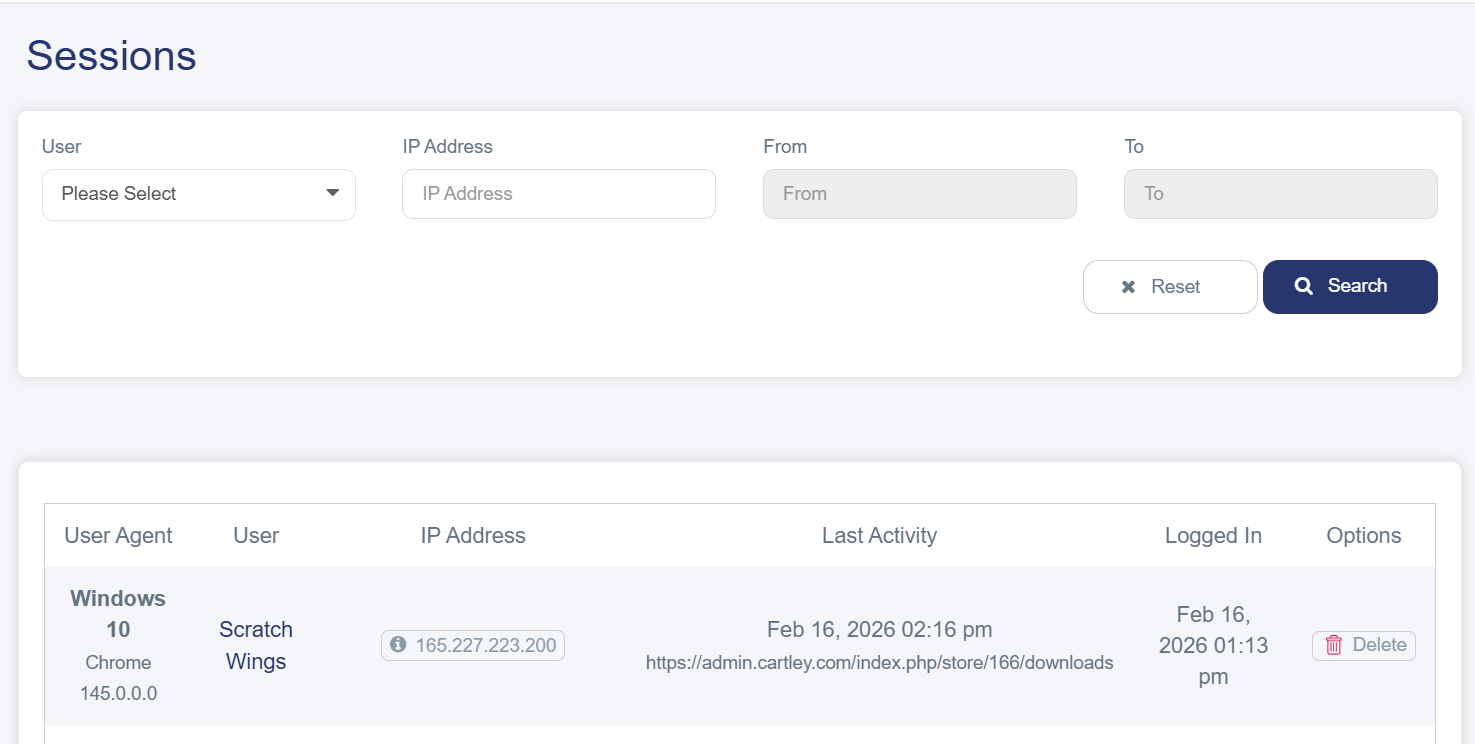
Sessions are an essential tool for monitoring employee activity and analyzing their performance on the online store. They also display any modifications made to the store, whether by the store owner or by sub-users. This information helps store owners evaluate staff efficiency, improve workflow management, and enhance overall performance.
You can access it by following these steps:
1. Log in to your store’s dashboard on Cartley.
2. From the main menu, select “Reports.”
3. A drop-down list will appear — select “Sessions” to access the detailed interface, where you can filter sessions by username, IP address, or login date. The session information will be displayed in a detailed table containing:
§ User Agent: Shows the browser type used to log in (Admin or Sub Users)
§ User: Displays the username or ID used to log in
§ IP Address: Used to determine the customer’s geographic location
§ Last Activity: Shows the last action taken by the user, such as visiting a product page or making a purchase, along with the time of that activity
§ Logged In: Reflects when the user logged into the store
§ Options: Options to delete the session