What Are Notification Sounds
Quickly responding to new orders is a key factor in the success of your store and customer satisfaction. To ensure you never miss a new order, Cartley provides an effective tool to customize notification sounds, alerting you instantly when a new order arrives or any other important event occurs in your store.
How to Access the "Notification Sounds" Page
To access and manage notification sound settings, follow these simple steps:
1. Log in to your store’s dashboard on Cartley .
2. From the main sidebar menu, click on the Settings icon located at the bottom of the menu.
3. A sub-settings list will appear; from this list, select Notification Sounds.
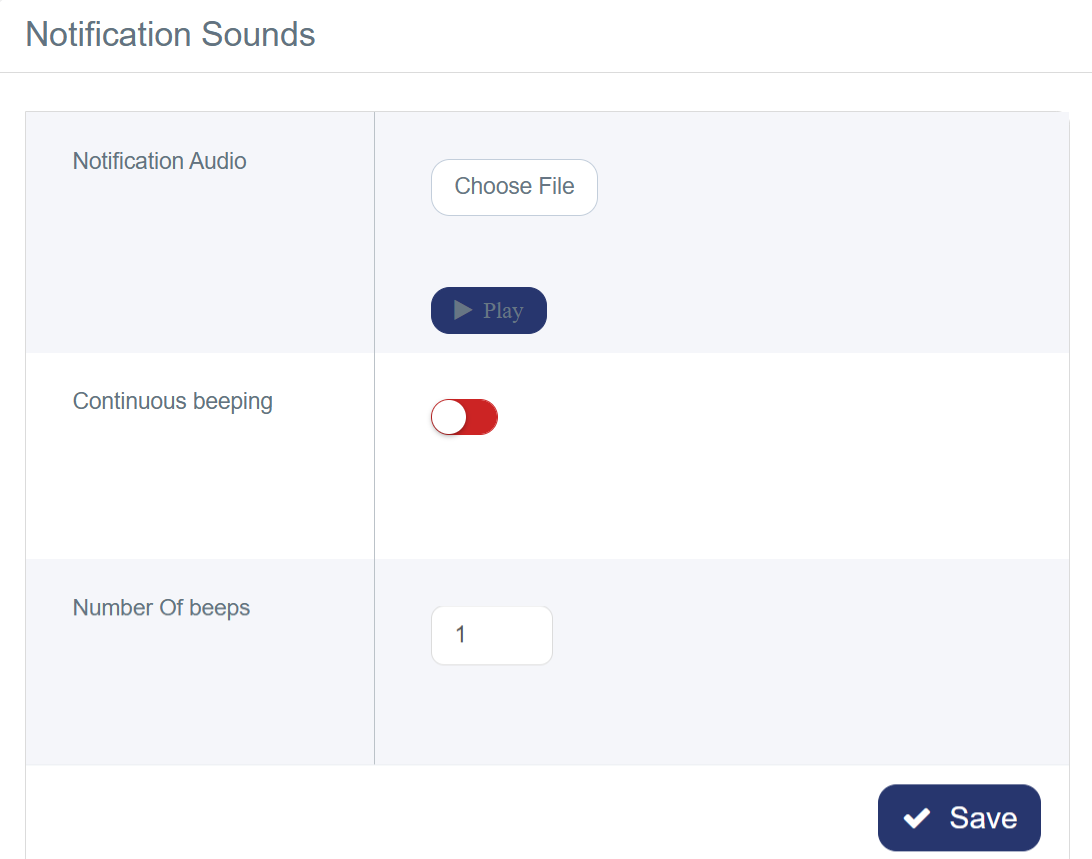
4. Once on the page, you will find several options to customize your notification sound:
· Choose File: Click this button to upload an audio file from your computer to use as a notification tone. It is recommended to use a short and clear audio file, such as MP3 format.
· Enable Continuous beeping: This option controls the repetition behavior of the notification sound. It is a toggle that you can turn on or off.
· Number of beeps (per order): Here you can enter a number representing how many times you want the notification sound to repeat for each order.