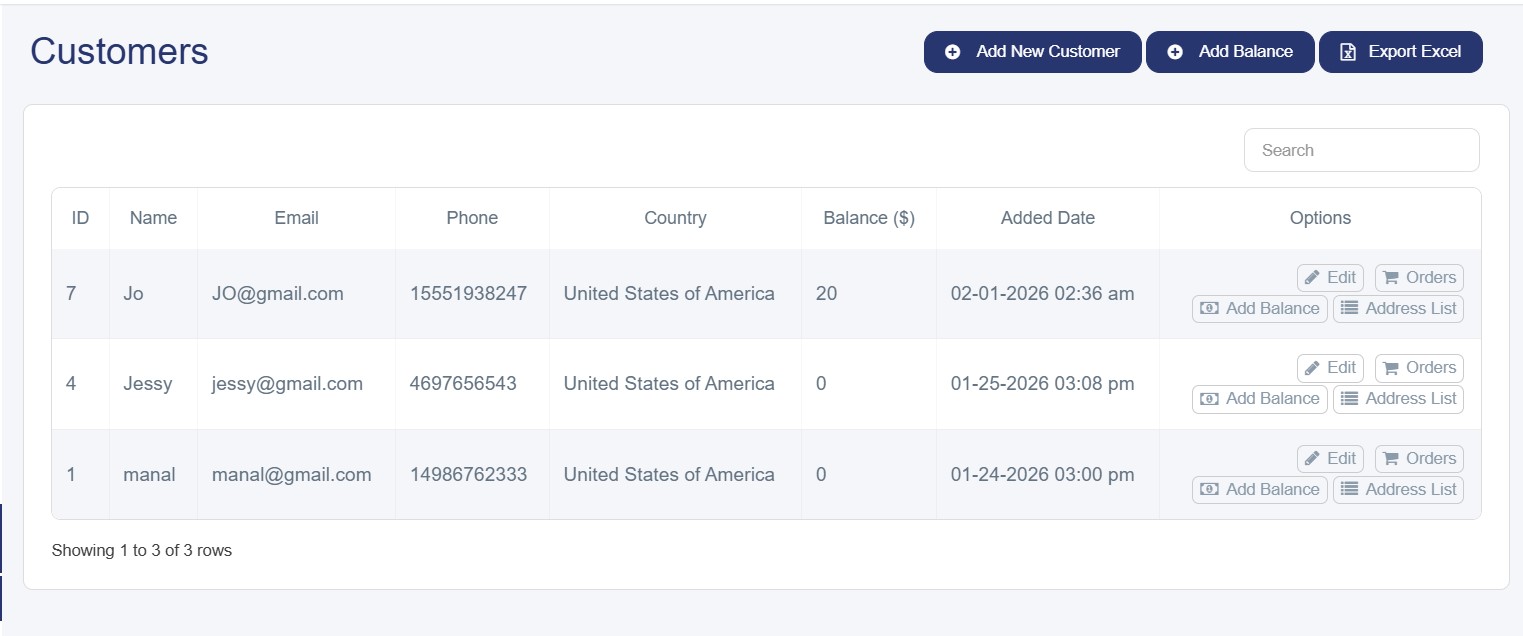
Overview of the Customer Section
The Customers section provides a comprehensive interface to view and manage all shopper data in your online store. Through this section, you can access essential customer information, track purchase activities, export the customer list in Excel format, and perform searches.
Available Information
· Name: The customer’s registered name in the system
· Email: The main communication channel with the customer
· Phone: Includes the country code for direct contact
· Country: The customer’s geographical location, helping determine shipping and delivery options
· Balance: The amount of funds available in the customer’s account
· Date Added: The date the customer registered in the system, useful for tracking new and returning customers
· Actions
1. Edit
This button allows you to modify the following:
· Change the registered country
· Edit personal information (name, email, phone number)
· Update the phone number with the correct country code
· Reset the customer’s password when necessary
2. Orders
Through this button, you can directly access the Order History, which displays details such as sale code, order type and date, and more.
3. Add Balance
The Add Balance feature enables you to manage the customer’s balance by:
· Adding a specific amount to the customer’s account
· Deducting an amount (using the minus “–” sign)
· Setting an expiration date for the balance
· Notifying the customer of balance changes
4. Address List
The Addresses feature allows access to all delivery addresses registered by the customer.
Additional Features in the Customers Section
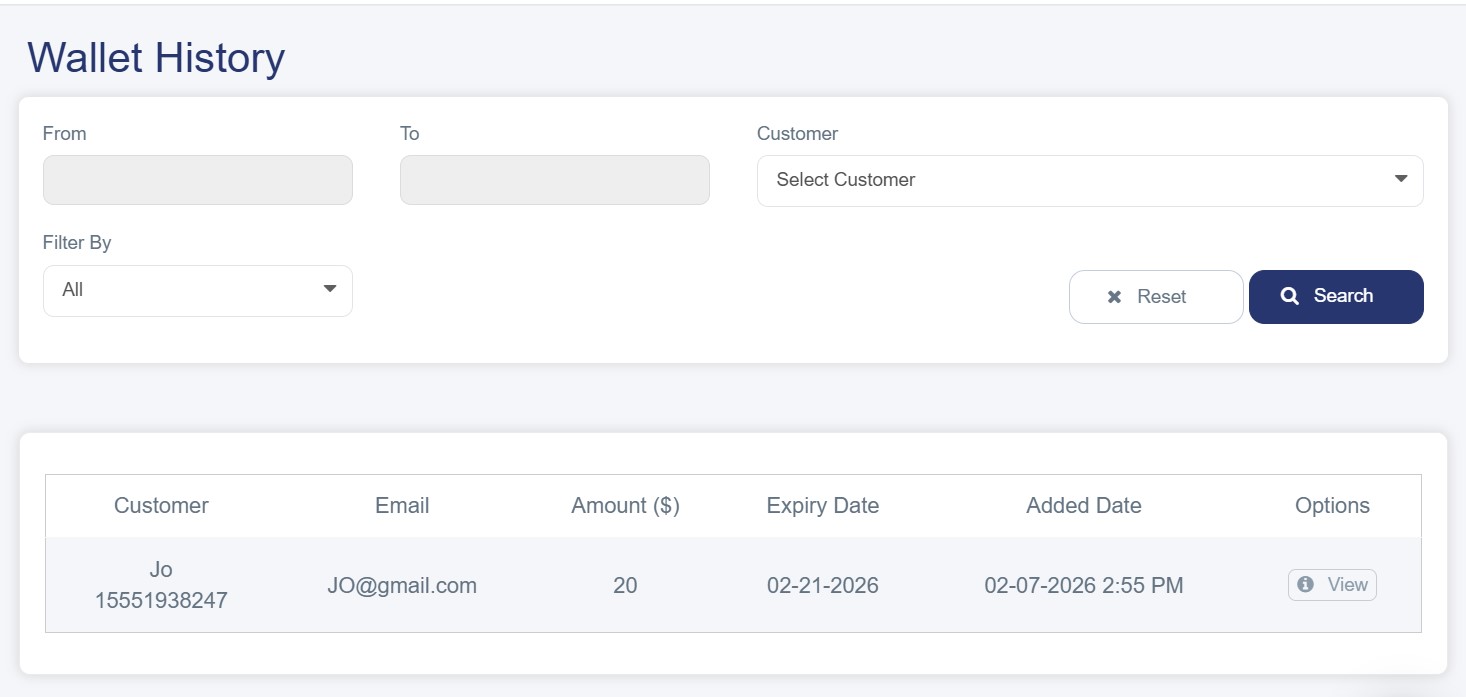
· Wallet History:
The Wallet History section provides a comprehensive record of all financial transactions related to customer balances in the online store. It displays detailed information for each transaction, including the customer’s name, email, phone number, and the transaction amount, whether it is a credit or a deduction from the balance.
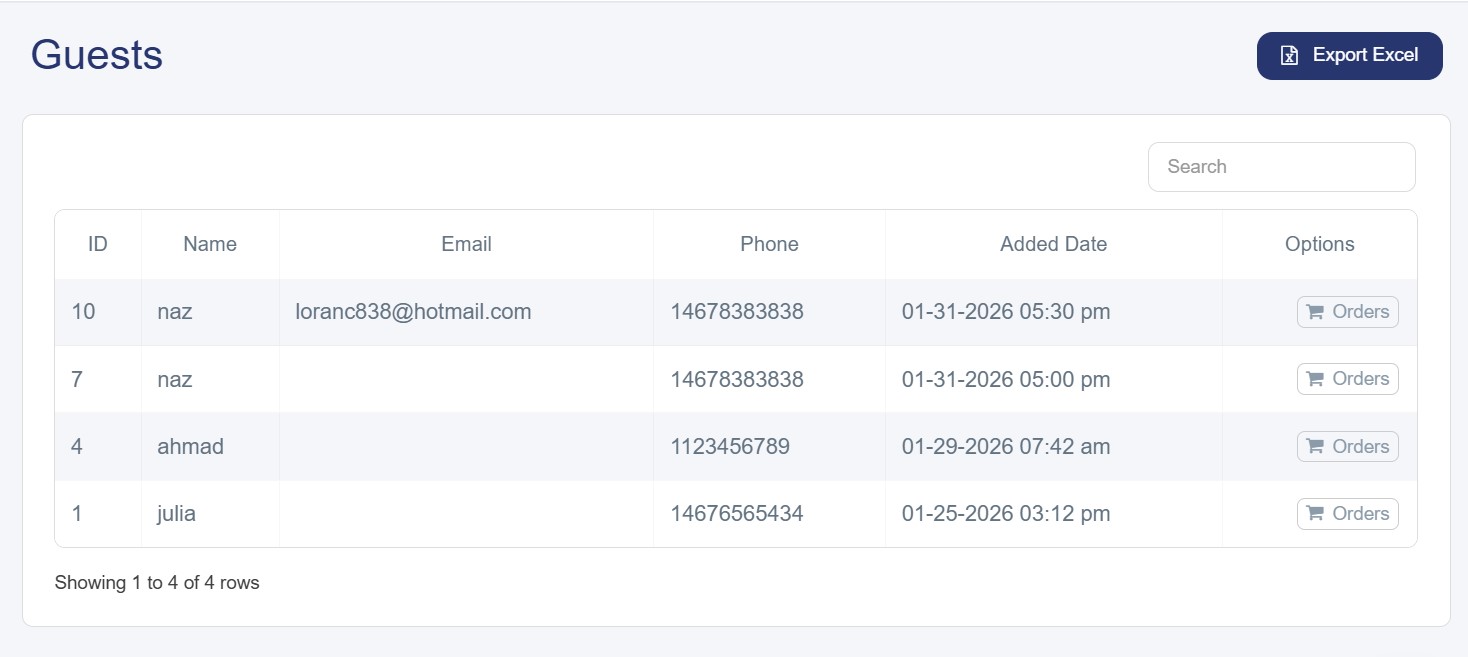
· Guests:
The Visitors section is an important tool for tracking all individuals who interacted with the online store without registering. It presents their basic information in an organized manner, including name, email, phone number, date added, and actions that allow instant access to their purchase history and order tracking.
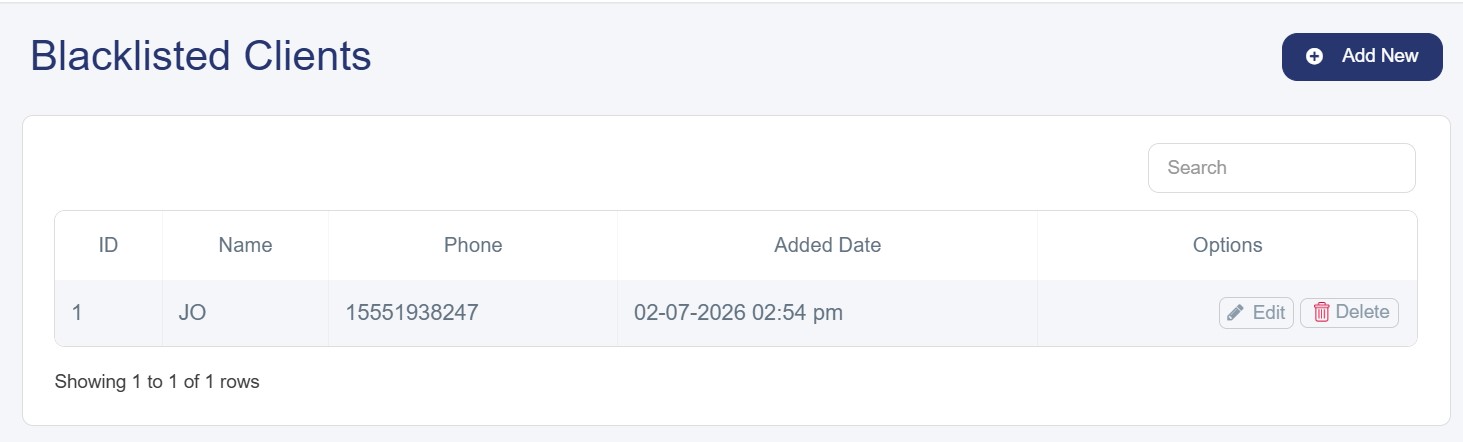
· Blacklisted Clients:
This is a protective tool that allows the store owner to prevent certain customers from making purchases for reasons such as:
§ Frequent refusal to accept orders
§ Misuse of the return system or attempts at fraud
§ Inappropriate behavior toward the customer service team
§ Creating fake orders
To add a customer to the blacklist, their phone number must be entered correctly, including the country code (965, 962…). The system also provides "Edit" options to update customer information and "Delete" to remove them from the list if they are allowed to return.