What Are Inventory Reports
Inventory reports are comprehensive analytical tools that provide online store owners with a clear and detailed overview of their available products. These reports include accurate information about product quantities, distribution across different branches, goods movement, and daily sales. Through these reports, merchants can identify best-selling products, detect stagnant stock, and avoid stockouts that may lead to customer loss.
How to Access Inventory Reports
Cartley provides user-friendly interfaces to access inventory reports. You can access them by following these steps:
- Go to the Inventory Reports section from the sidebar menu in your dashboard.
- A drop-down list will appear where you can select the desired report type from the available options, such as:
Inventory Levels
§ Products
From the “Stock Levels” report, select Products. A table will appear containing:
1. Product: The full product name with specifications and add-ons (if any).
2. SKU: The Stock Keeping Unit.
3. Product Barcode.
4. Quantity: The number of items available in stock.
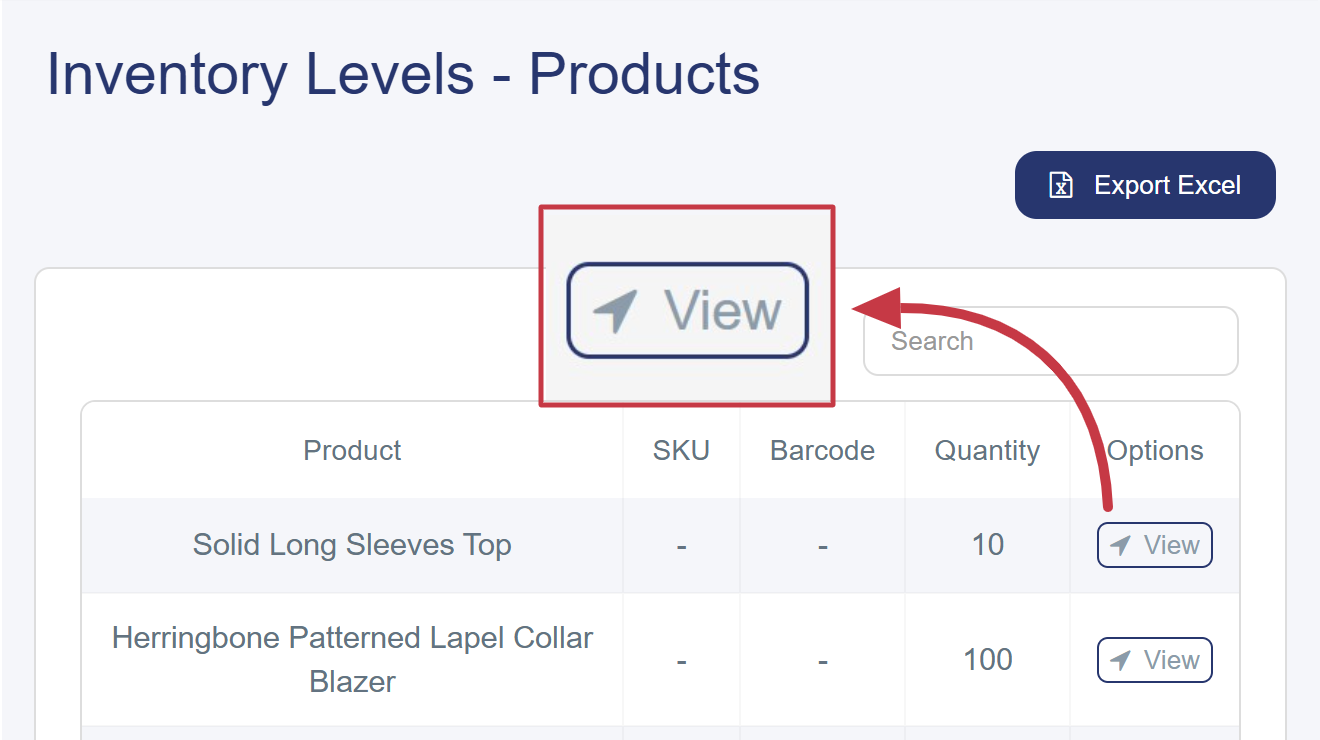
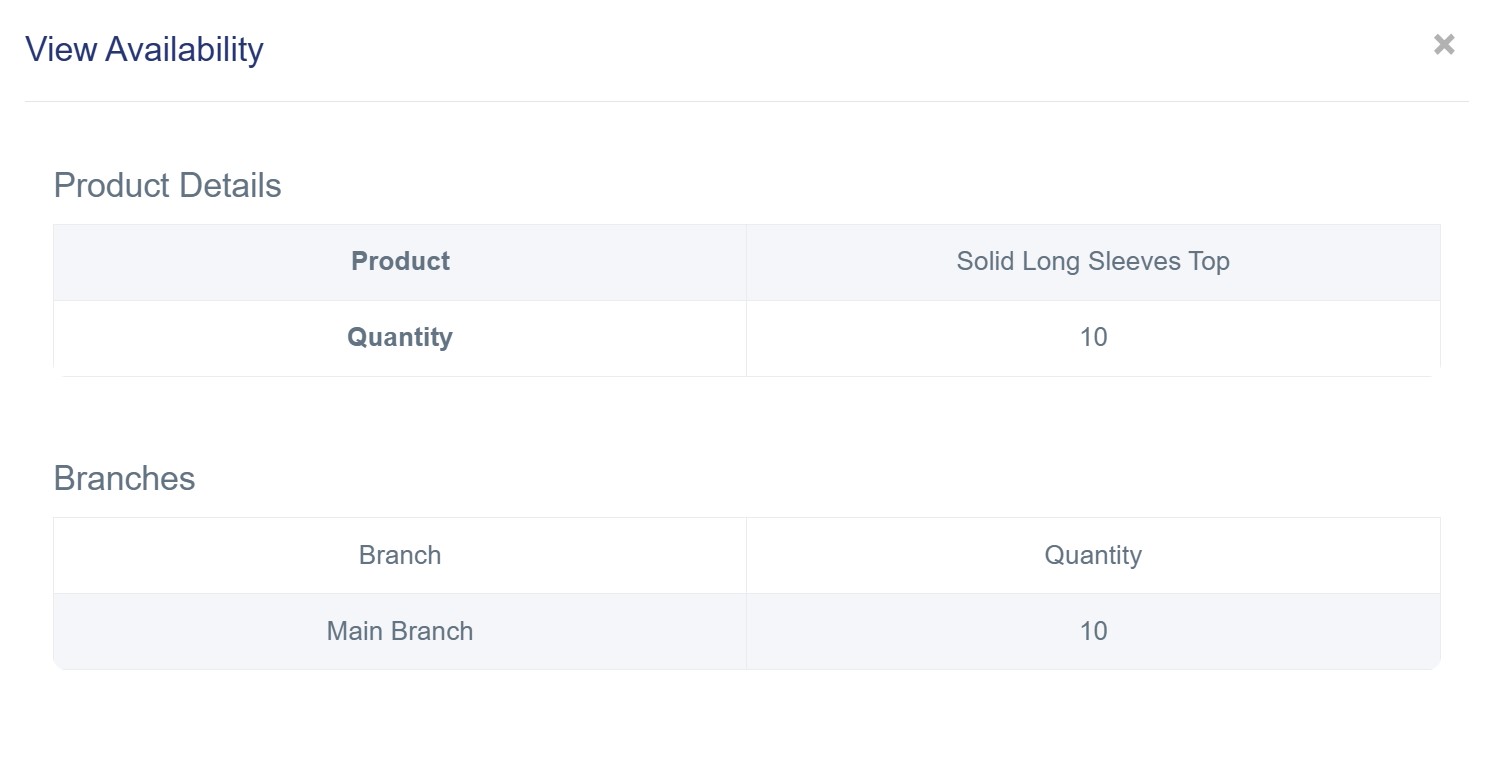
5. Options (View): When clicked, a window will appear showing complete and clear product details, Includes:
§ Details: The full name of the product and the total available quantity of add-ons.
§ Branches: Displays the quantity of add-ons available in each branch individually.
§ Modifiers
From the “Stock Levels” report, select Modifiers. A table will appear containing:
1. Product: The full name of the Modifiers.
2. SKU: The stock keeping unit.
3. Barcode: The barcode of the Modifiers
4. Quantity: The number of Modifiers available in stock.
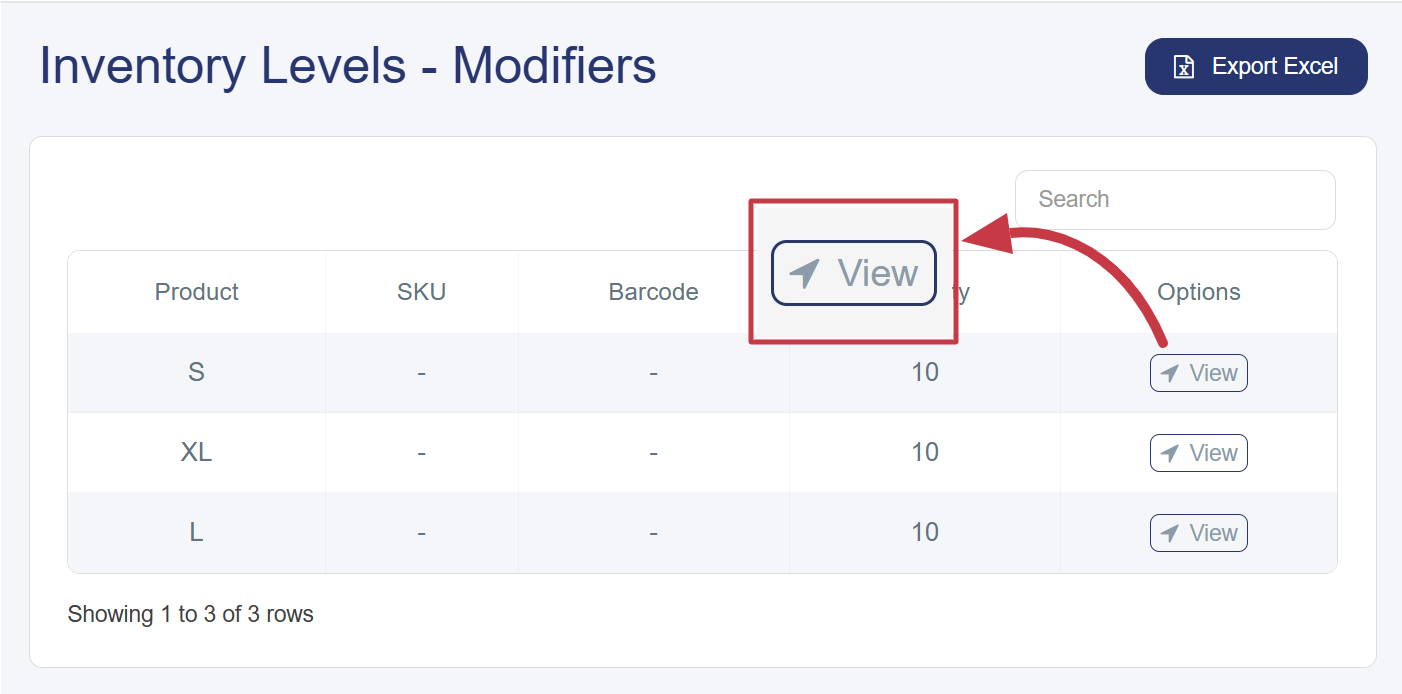
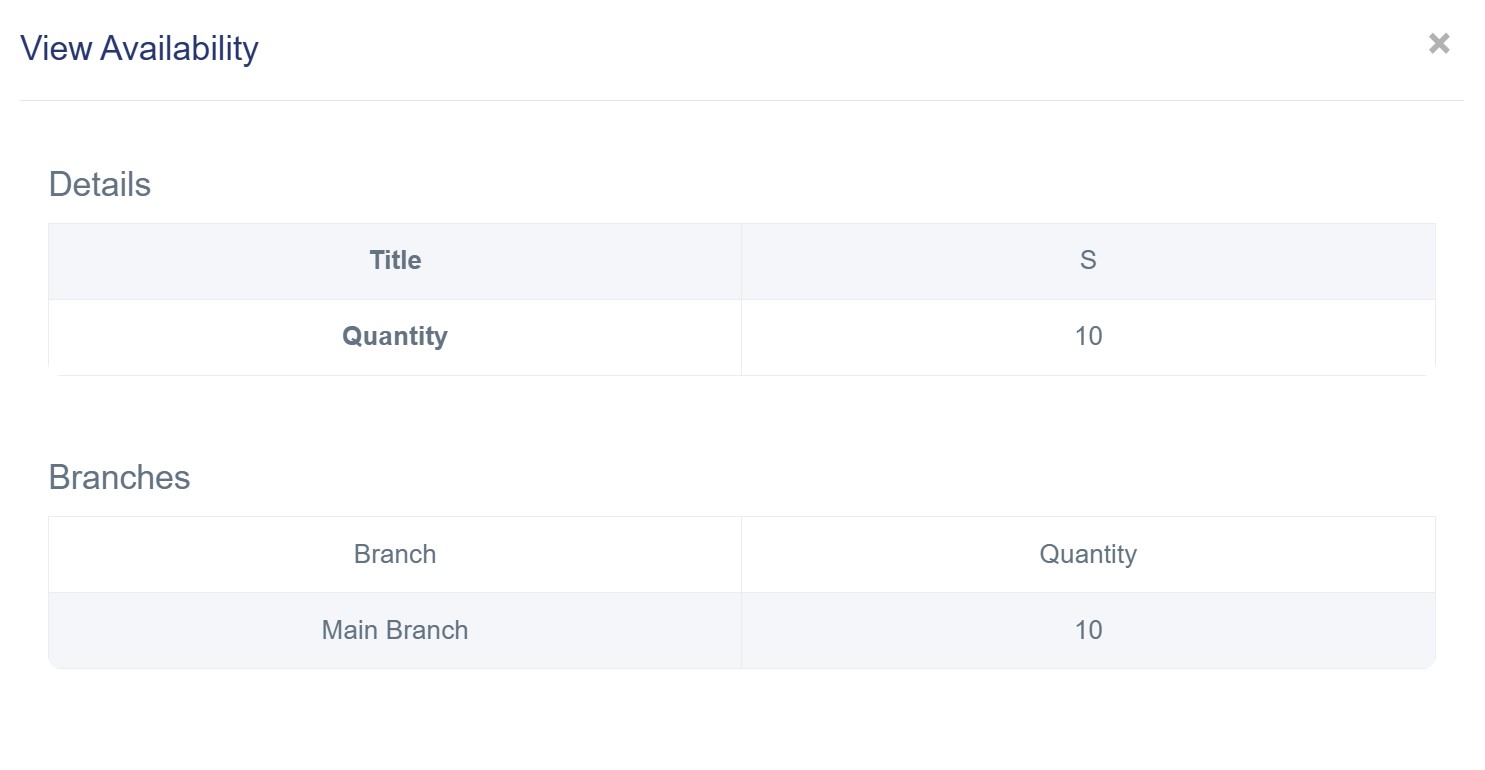
5. Options (View): When clicked, a window will appear displaying complete and clear Modifiers details, Includes:
§ Details: The full Modifier name and the total available quantity of it.
§ Branches: Displays the quantity of Modifiers available in each branch individually.