What Does Bulk Product Upload Mean?
Bulk upload is the process of uploading a large number of products to your online store at once using a single file, instead of adding each product individually. This is done by using CSV (Comma Delimited) files that contain all product data organized into specific columns.
Step 1: Download the Template File
1. Log in to your store’s dashboard on Cartley.
2. Go to the "Products" section.
3. Select "Bulk Product Upload."
4. Download the official template file.
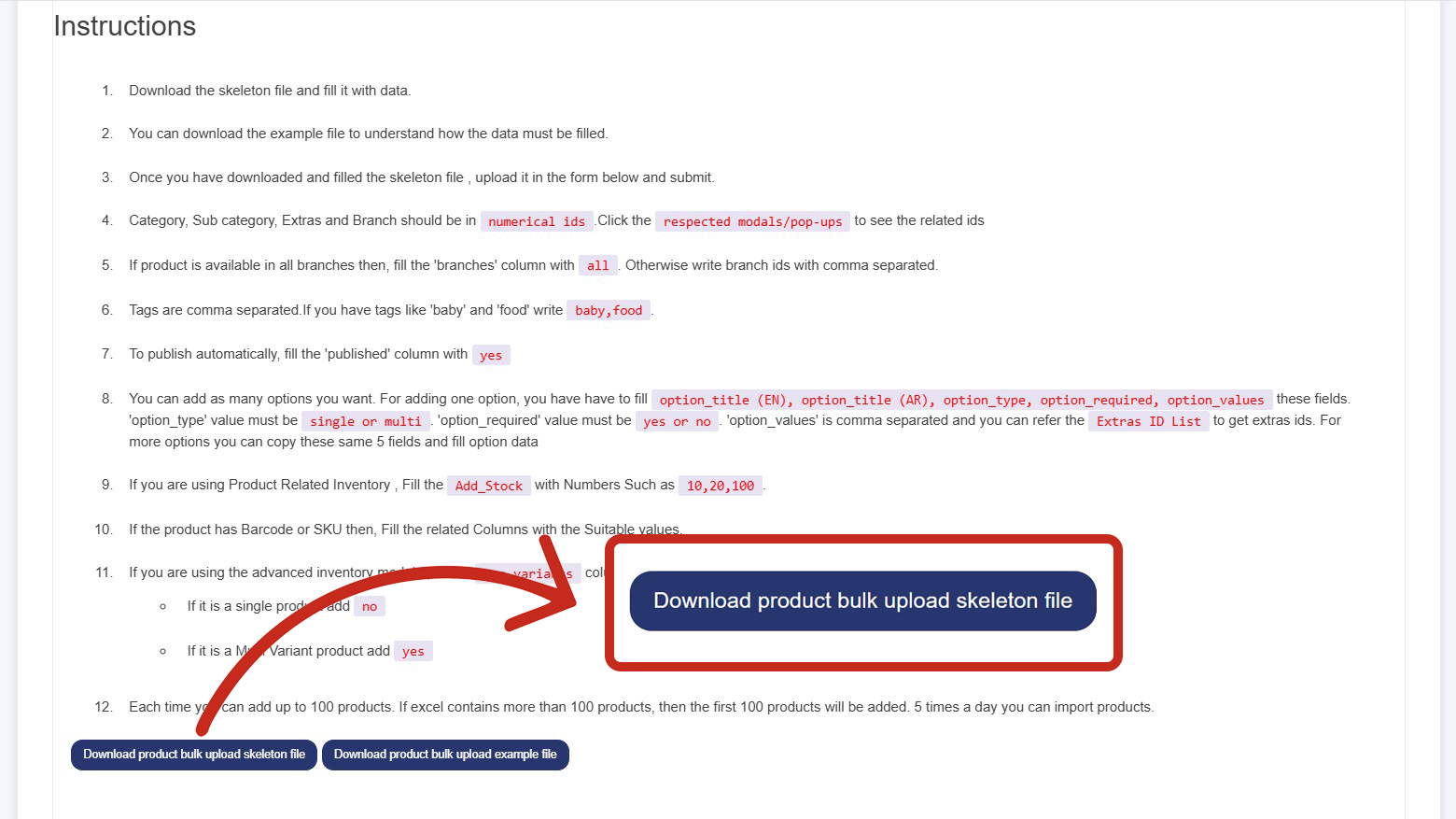
Step 2: Fill in the Product Data
Basic Product Information:
1. Product Title (English): The product name in English.
2. Product Title (Arabic): The product name in Arabic.
3. Product Description (English: A detailed description of the product in English.
4. Product Description (Arabic): A detailed description of the product in Arabic.
5. Category: The category to which the product belongs. Enter the category number (e.g., 305, 37).
6. Subcategory: The subcategory, if applicable (e.g., 115, 125).
7. Price and Stock Information:
· Cost Price: The purchase cost or production cost of the product.
· Sale Price: The price at which the product will be listed on the website.
· Barcode: The product’s serial number.
· Available Quantity –(add stock) :The number of units available in stock.
8. Branches: The branches where the product is available. If available in all branches, enter "all."
9. Publish Status: Specify "yes" or "no" to indicate if the product should be published on the website.
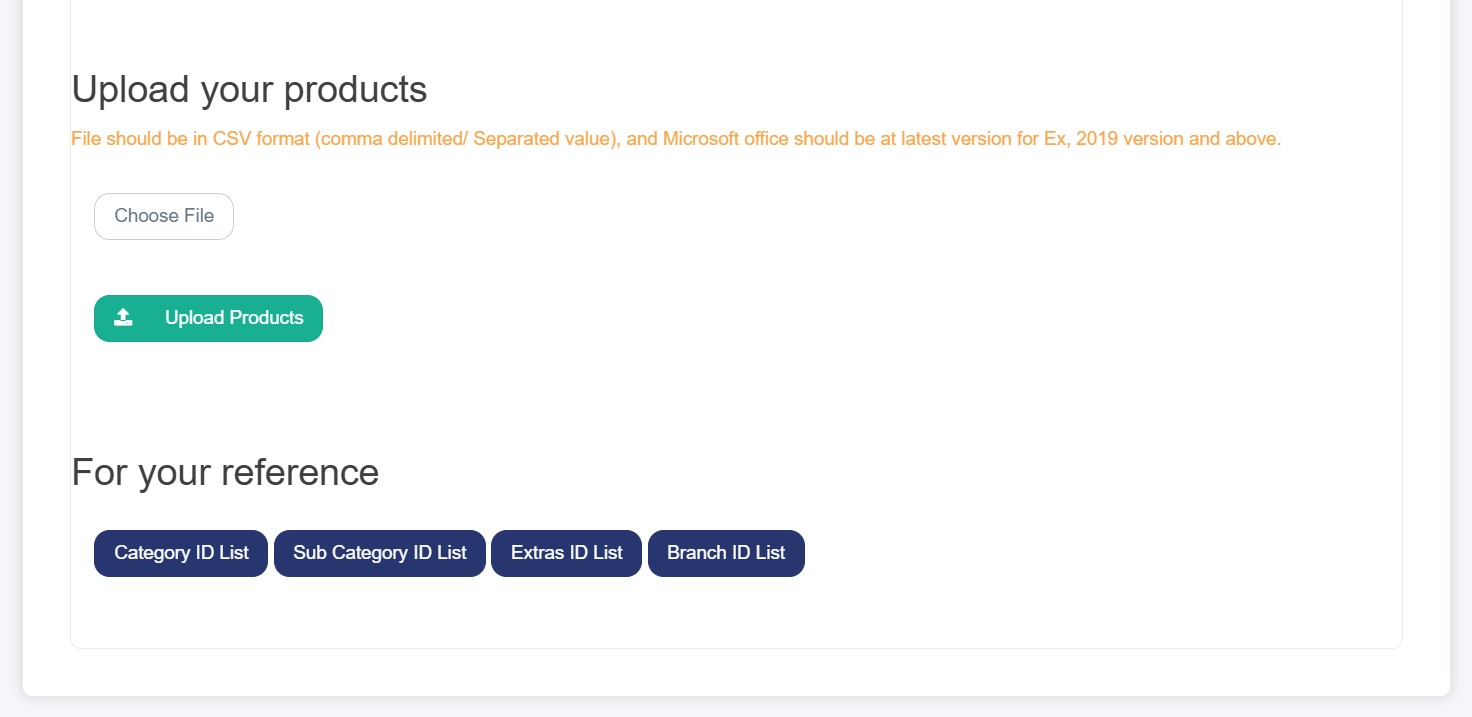
Step 3: Upload the File
1. Save the file in CSV (Comma Delimited) format.
2. Click on Choose File to select the file from your device.
3. Click on "Upload Products File."
4. Wait until the processing is complete.
Important Notes
- If you have more than 100 products, they should be divided into batches, with each file containing 100 products.
- A maximum of 5 files can be uploaded per day, up to 500 products per day.