The Importance of Setting Up an Email
Email is one of the most essential communication tools in managing an online store. It goes beyond simply exchanging messages — it serves as a strategic channel for building trust and strengthening brand identity.
Through the email settings in Cartley , store owners can customize automated messages sent to customers at different stages of their interaction with the store, such as:
· Order confirmations
· Shipping and delivery updates
· Alerts and promotional offers
These settings provide great flexibility in designing the content and tone of emails to align with the store’s identity and brand voice, ensuring a consistent and professional communication experience.
Moreover, this feature helps increase customer satisfaction by keeping them constantly informed about their order status and enhancing their sense of reliability — ultimately building a long-term relationship based on trust and professionalism between the store and its customers.
How to Access Email Settings
1. Log in to your store’s dashboard on Cartley .
2. From the main menu, go to the Settings section.
3. Select Email Settings — a window will appear displaying the available options.
Main Types of Emails in Cartley
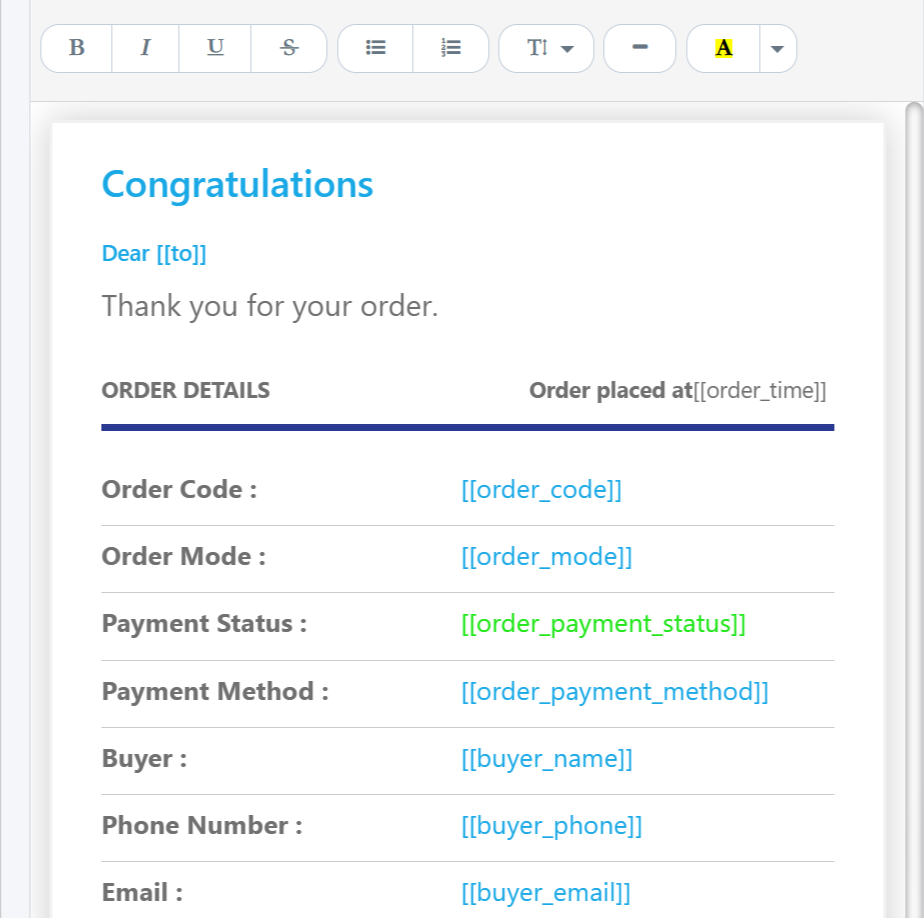
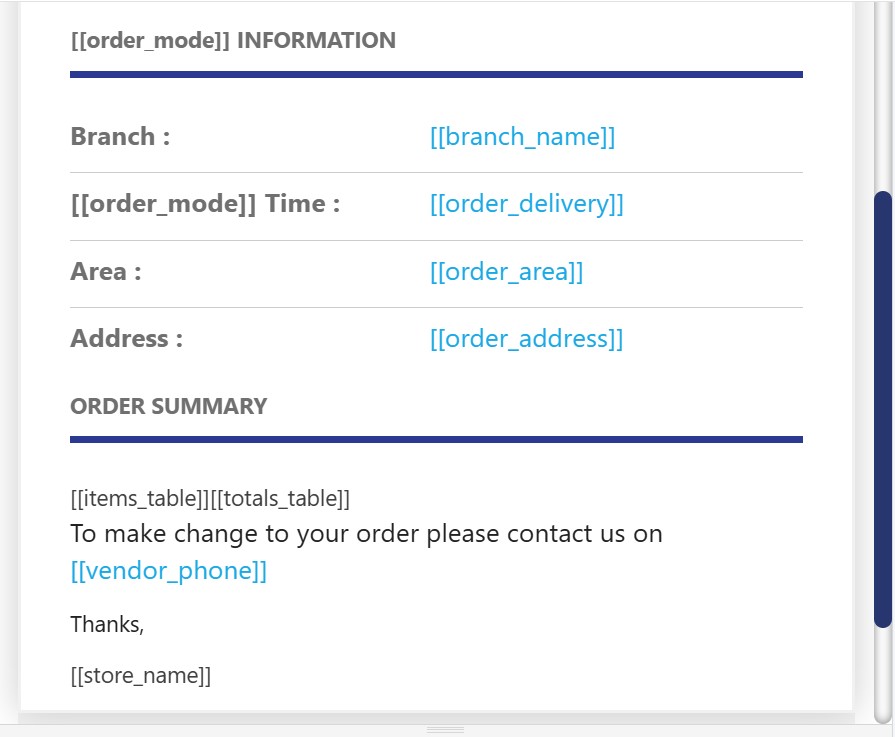
1. Customer New Sales Email
An automatic welcome message sent to customers after completing a purchase. It expresses the store’s appreciation for their trust and strengthens the relationship by thanking them for choosing the product or service. This email aims to leave a positive impression and encourage customers to make repeat purchases and explore more of the store’s offerings.
Emails Body
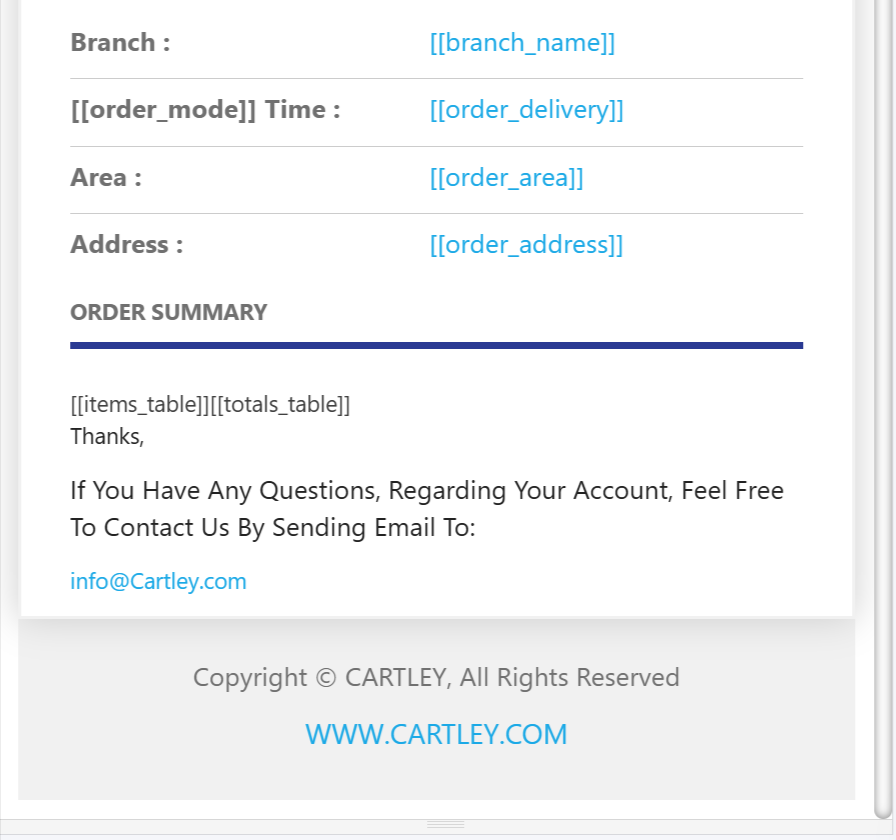
The email content is automatically personalized using intelligent algorithms that adapt according to the order details and customer information. For example, if the customer’s name is Mohammed and the payment method is Cash, their name will automatically appear in the (To)field and (Cash) in the (order_payment_method) field when sending the email, ensuring a personalized and accurate experience for each message.
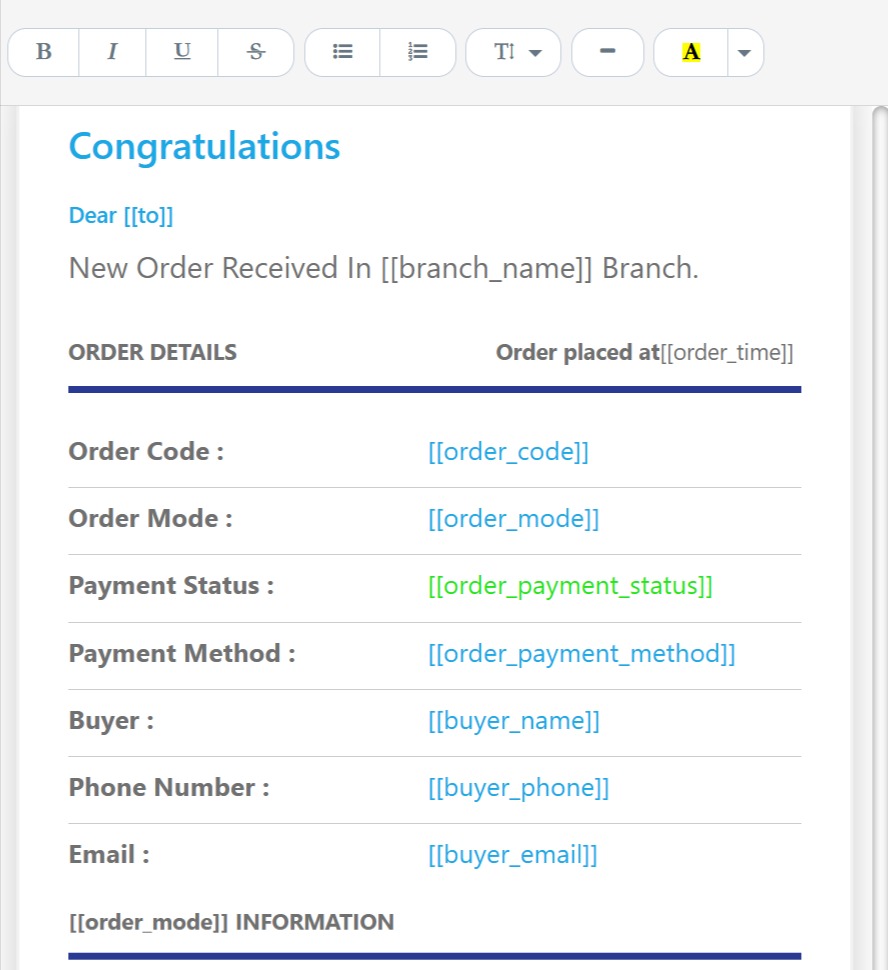
2. New Order Notification for the Store
This is an automatic alert sent directly to the store owner or manager when a new order is received in the online store. The purpose of this notification is to ensure immediate and efficient order follow-up, helping to speed up the processing and fulfillment stages. It also serves as an essential tool for maintaining smooth operational workflows and improving the overall quality of customer service through prompt responses to every new order.
3. Register Email
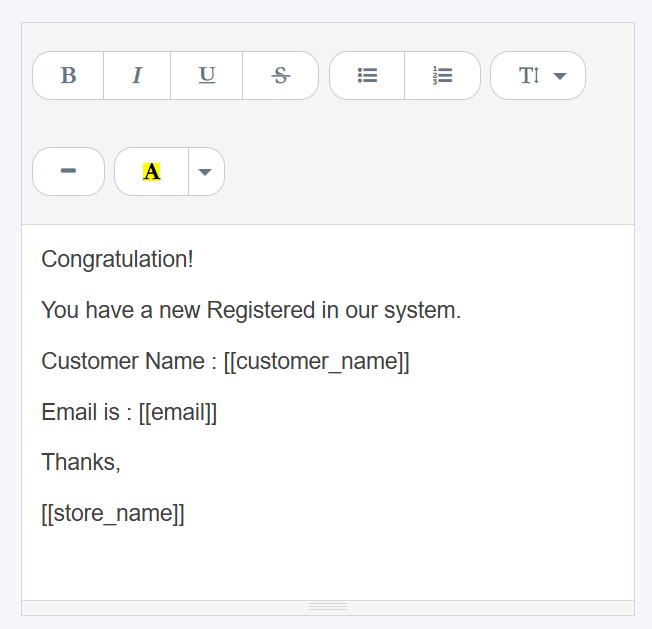
A welcome message sent when a new customer registers in the store. It includes information on how to use their account and take full advantage of the membership benefits.
Customer Registration Email Body
Congratulation!
You have a new Registered in our system.
Customer Name : [[customer_name]]
Email is : [[email]]
Thanks,
[[store_name]]
4. Your New Password Email
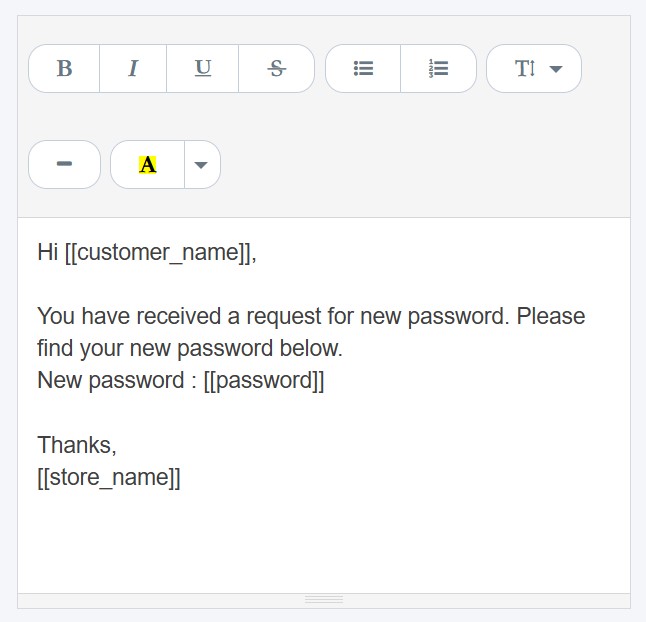
An email sent when a password reset is requested, containing a secure link to create a new password.
Your New Password Email Template
Hi [[customer_name]],
You have received a request for new password. Please find your new password below.
New password : [[password]]
Thanks,
[[store_name]]
5. Balance Had Been Added Email
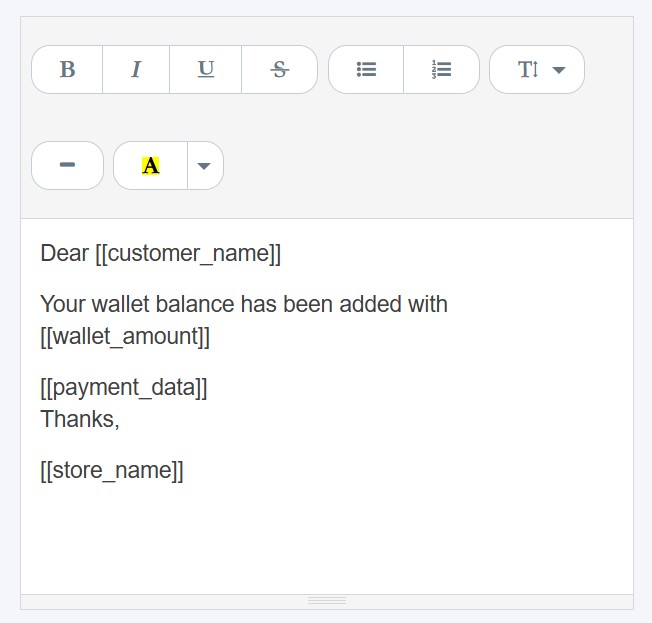
A notification sent to the customer when a balance is added to their account in the store, whether as a refunded amount or as a reward.
Balance Had Been Added Email Template
Dear [[customer_name]]
Your wallet balance has been added with [[wallet_amount]]
[[payment_data]]
Thanks,
[[store_name]]
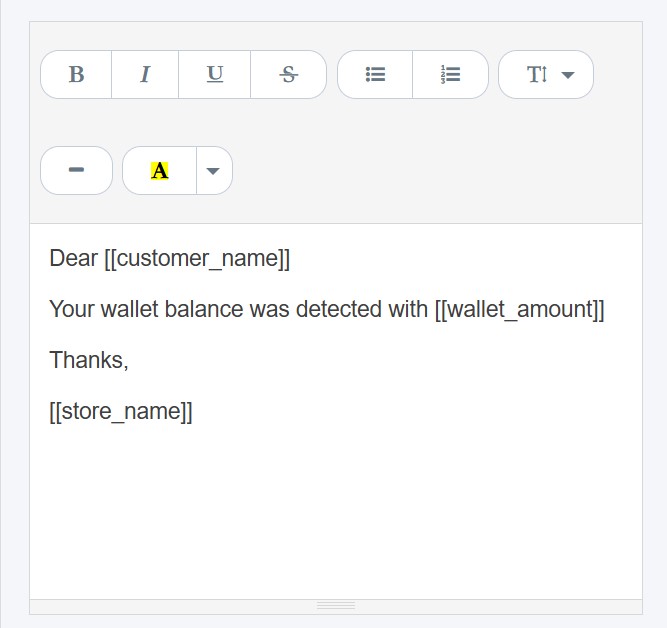
6. Balance Was Detected
It is an automatic notification sent to the customer to inform them about the available balance in their store wallet, whether after adding funds or deducting the amount of a purchase. This notification aims to keep the customer continuously informed about their balance activity and to enhance transparency in financial transactions within the store.
Balance Was Detected Body
Dear [[customer_name]]
Your wallet balance was detected with [[wallet_amount]]
Thanks,
[[store_name]]
7. Order Confirmation Email
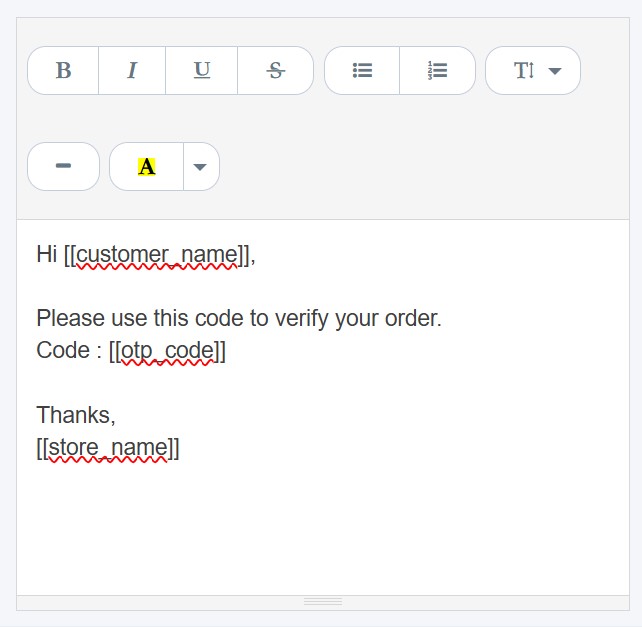
This is a notification sent to the customer to confirm their order after completing a purchase. It contains a verification code that must be entered or used to validate the order and ensure it is processed securely.
Order Confirmation Body
Hi [[customer_name]],
Please use this code to verify your order.
Code : [[otp_code]]
Thanks,
[[store_name]]
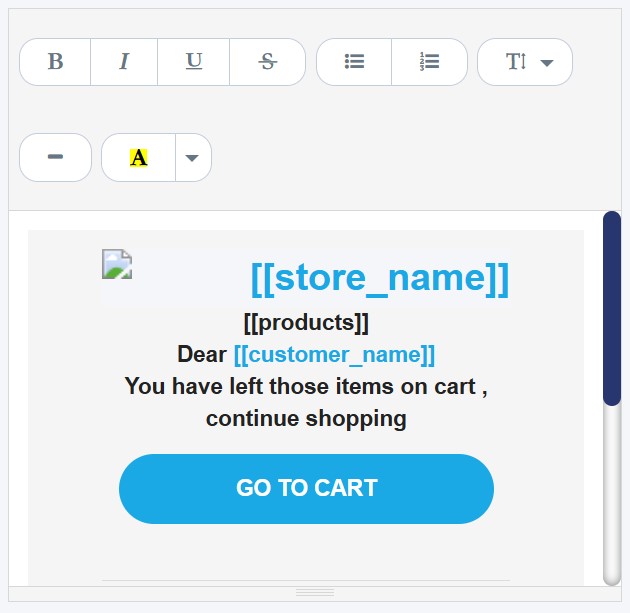
8. Left On Cart Alert
A notification sent to customers who have added products to their shopping cart but have not completed the purchase. Its purpose is to remind them and encourage them to finalize their order.