Downloads
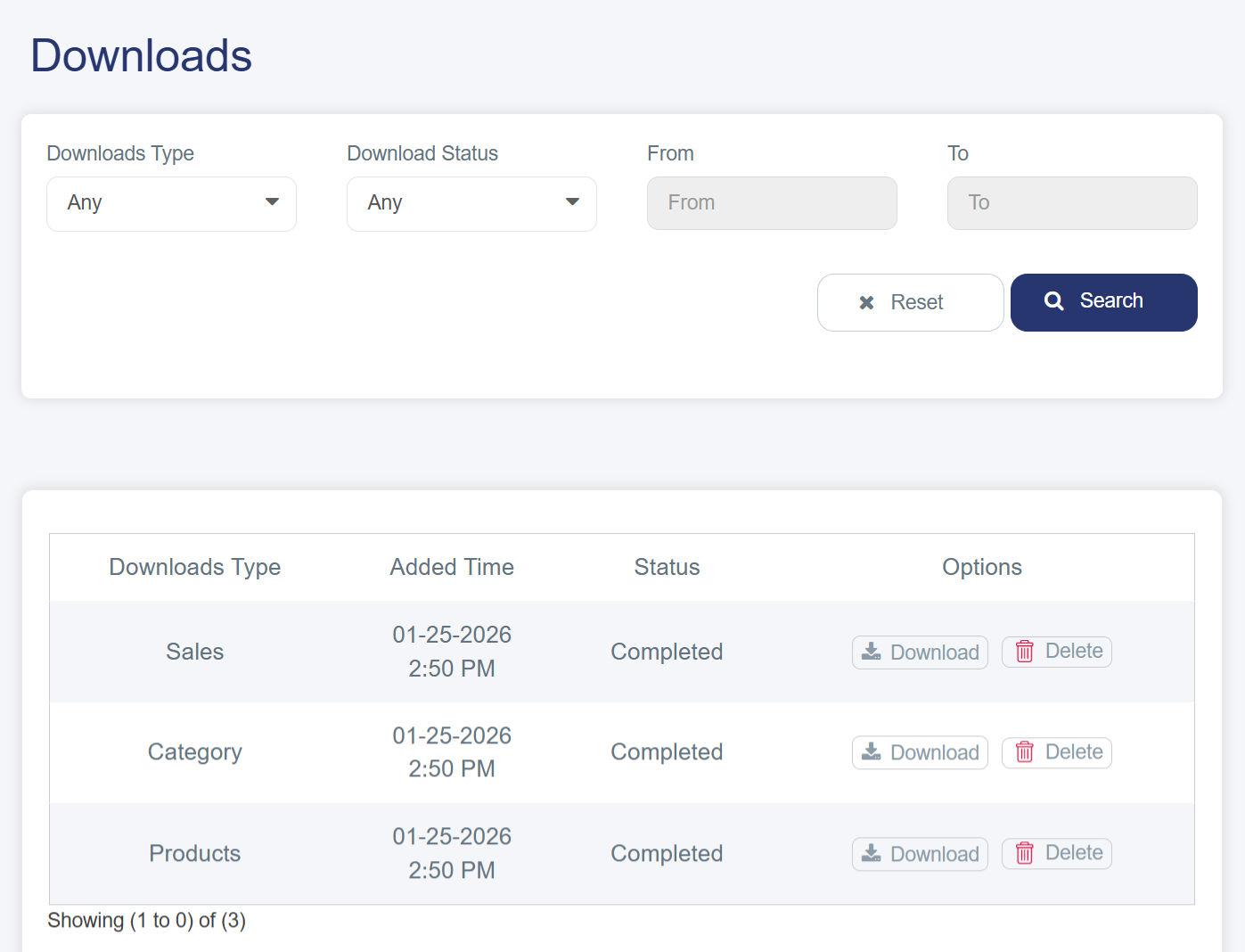
The Downloads section is a dedicated area in your online store dashboard that provides a detailed record of all exported or downloadable data, with the option to easily download it in Excel format.
You can access it by following these steps:
1. Log in to your store’s dashboard on Cartley.
2. From the main menu, select “Reports.”
3. A drop-down list will appear — choose “Downloads” to open the detailed interface, where you can filter and manage your downloads. The data is presented in a clear table containing the following information:
§ Download Type: Specifies the type of file downloaded.
§ Added Time: The exact time the download was added.
§ Status: Indicates the current status of the file or download (e.g., Completed, Incomplete).
§ Options: Provides actions such as Download or Delete.