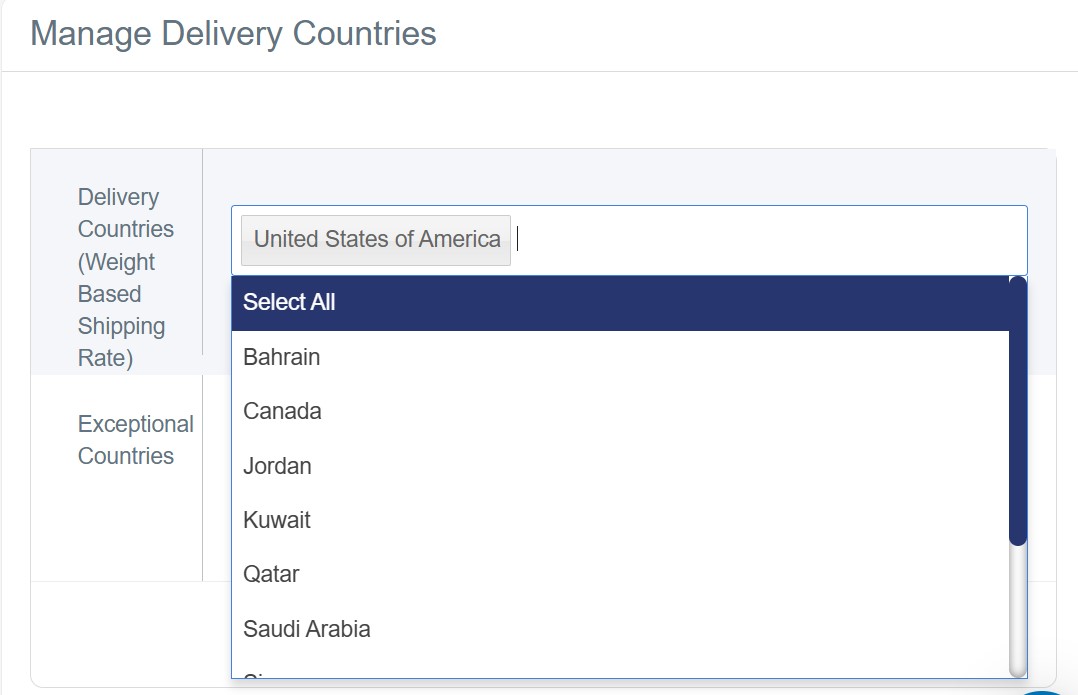
What is Delivery Countries Management
Delivery Countries management is the feature that enables you to specify the countries and cities where your online store can provide delivery services. This helps you control your business scope and provide a clear shopping experience for customers by informing them about the availability of delivery services in their countries.
Steps to Add Delivery Countries
1. Log in to your store's dashboard on "Cartley "
2. Navigate to the Settings section
3. Select " Delivery Countries" to display a window for choosing delivery countries
Selecting Delivery Countries
You will find a comprehensive list containing many countries you can choose from. You can select the countries where you want to activate delivery service based on your store's capabilities and your agreements with shipping companies. Examples of available countries include Saudi Arabia, United Arab Emirates, Kuwait, Qatar, Bahrain, Oman, and other countries.
Removing Delivery Countries
The platform provides an easy-to-use interface that enables you to quickly add new cities or remove existing ones. There is a delete icon (×) next to each city to remove it from the available delivery list.
After finishing selecting and adding the countries you want to deliver to, don't forget to press the "Save" button to update the changes to your store.