What is meant by the Contact Information Page
The Contact Page is one of the most essential pages for any online store on Cartley or other e-commerce platforms. It serves as the direct link between the store and its customers, reflecting the professionalism of the brand and its commitment to customer service.
How to access the "Contact "
1. Log in to your store’s dashboard on the “Cartley ” platform.
2. On the right side of the screen, select the "Store Landin Page" section.
3. A dropdown menu will appear — choose "Contact."
4. A new window or page will open containing:
Form Elements
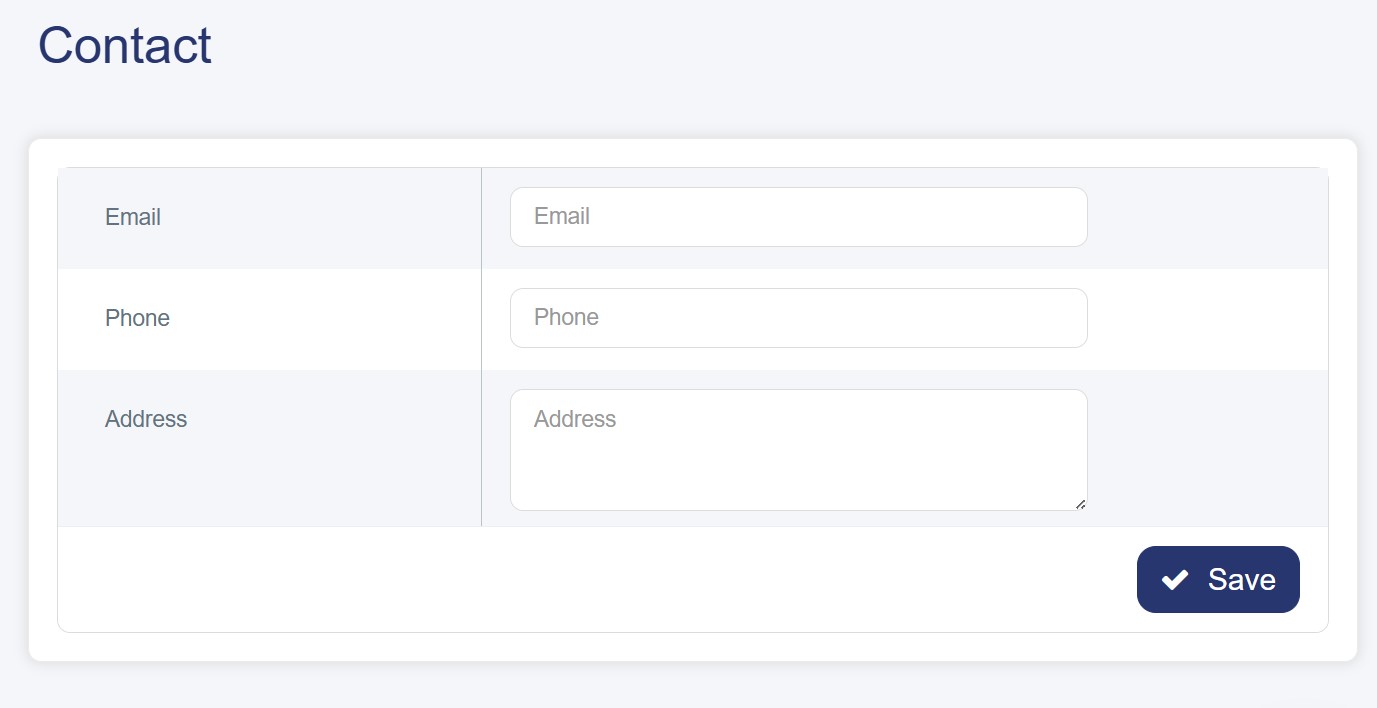
The form contains four main input fields:
1. Email: The primary and most important field, used for direct communication with the customer and sending responses. Placing this field first emphasizes its role as a key contact method in the digital age.
2. Phone Number: Provides an alternative and quick communication channel, especially useful for urgent inquiries or issues requiring immediate resolution.
3. Address (EN): A field for entering the address in English, indicating that the store targets a multilingual audience or operates in an international market.
4. Address (AR): A field for entering the address in Arabic, demonstrating attention to the Arab market and facilitating communication with local customers.